
WiFi Sauna Relay – Remote-Start Your Heater (DIY or Buy)
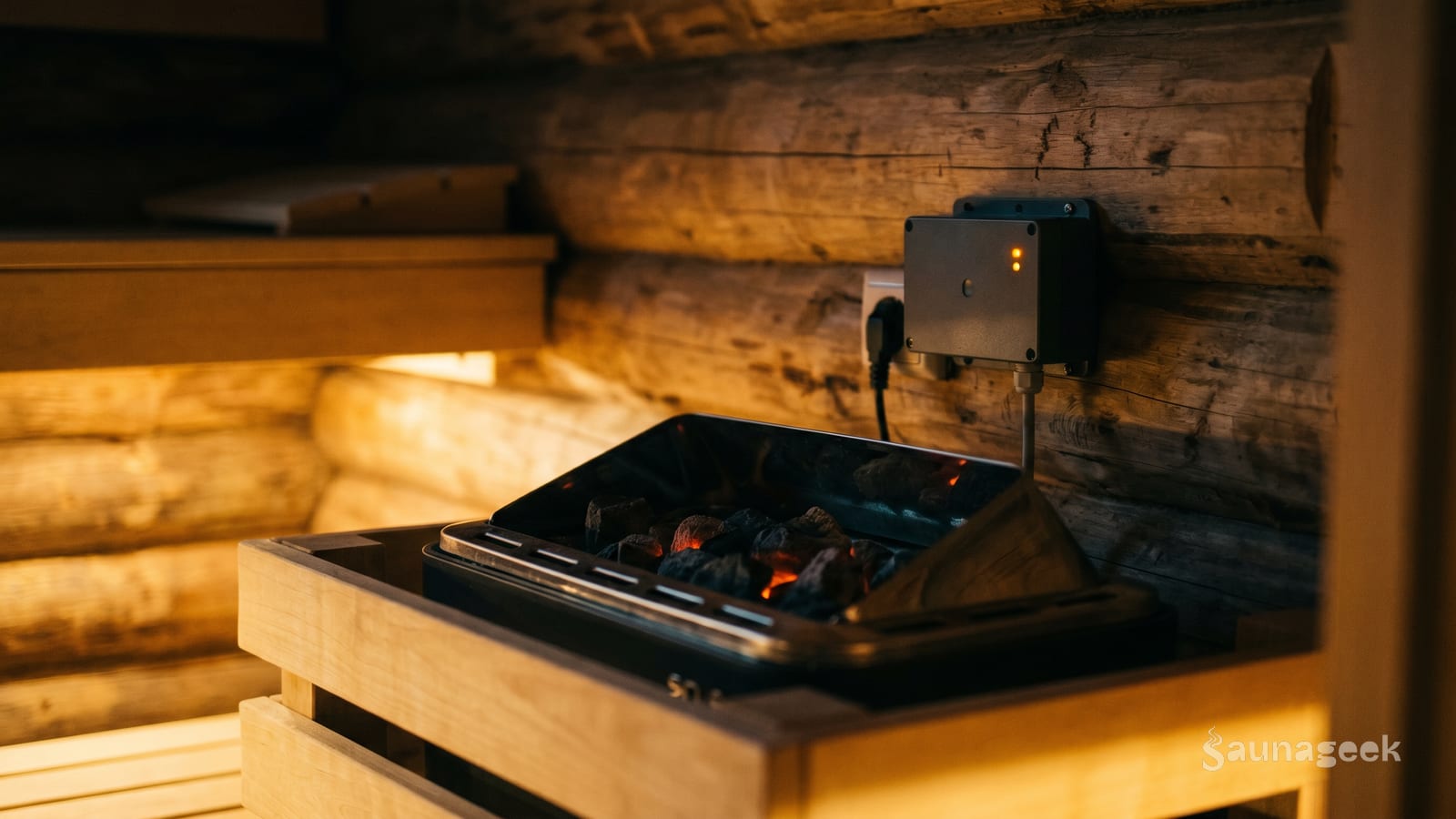
Your electric sauna heater draws between 30 and 60 amps at 240 volts. A standard smart plug tops out at 120 volts and 15 amps. The gap between those two numbers is why you cannot just plug a wifi sauna relay setup into a regular outlet and call it done, and why this topic actually requires some understanding before you spend money or touch a wire.
This article covers two real ways to add WiFi control to an electric sauna heater: buying a purpose-built controller designed for the job, or building your own relay setup for more flexibility. Both work. Both have trade-offs. You’ll know which one fits your situation by the time you’re done.
What a WiFi Sauna Relay Actually Does
A relay is an electrically operated switch. When you send a signal from an app, a smart home command, or a schedule, the relay closes and your heater turns on. The relay handles the heavy current. The WiFi part just tells it when to flip.
The critical distinction: a WiFi sauna relay setup is two separate components working together. One handles the load (the relay or contactor), the other handles the signal (the WiFi module). In a proper install, the WiFi device never touches the full heater current. It triggers the relay, which does the actual switching.
This matters because sauna heaters are serious 240V appliances. A 6 kW heater at 240V draws 25 amps, well above what any consumer WiFi switch is rated for. The WiFi module’s job is low-voltage control signaling only.
The Two Paths - Purpose-Built vs. DIY Relay
Here’s the quick comparison before diving into details.
| Purpose-Built Controller | DIY Relay | |
|---|---|---|
| Cost | $150 to $400+ | $40 to $80 |
| Install complexity | Moderate, matches your heater brand | Higher, requires sizing components |
| Safety | Designed and tested for the job | Depends on component selection and wiring |
| Smart home compatibility | Brand-specific, limited | Full Home Assistant, Alexa, Google Home |
| Remote access | Native app | Via Home Assistant or third-party |
| Best for | Heaters with a compatible add-on controller | Off-brand heaters or full automation |
The purpose-built path is cleaner and lower-friction if your heater brand offers a WiFi add-on. The DIY path gives you more control and works with any heater, but requires picking the right components and (in most cases) paying an electrician for the 240V wiring.
Purpose-Built WiFi Controllers
Several sauna brands sell WiFi-enabled control add-ons that pair with their heaters. Here’s what’s worth knowing about the main options.
HUUM UKU WiFi. Works with HUUM electric heaters and some compatible third-party heaters. The app handles scheduling, temperature monitoring, and push notifications. It has an official Home Assistant integration, one of the few purpose-built options with native HA support. The UKU controller itself is the brain; the WiFi module is an add-on to that system. Note that not every HUUM heater ships with the UKU WiFi controller included, it is often a separate purchase.
Harvia Xenio WiFi. Harvia sells the Xenio WiFi Remote Kit as an add-on for Xenio-compatible heaters. If you have a Vega, Classic, or Fulate saunan heater with a Xenio wall control, the WiFi kit slots in. Harvia’s ecosystem does not have official Home Assistant support, but the Xenio hardware has been reverse-engineered by the HA community. Check compatibility before buying, not all Harvia heaters work with the Xenio system.
BleBox saunaBox Pro. Purpose-built with an extended-range WiFi antenna, relevant if your sauna is outdoors or your router signal has to punch through exterior walls. Handles scheduling, temperature monitoring, and remote control via an app. Worth considering when WiFi coverage is the weak link.
Finnleo SaunaLogic2. Finnleo’s app allows remote control and scheduling worldwide. Alexa and Google Home support is built in. Worth checking whether your Finnleo heater requires a specific control module to be compatible, not every unit ships sauna-logic-ready out of the box.
The pattern across all of these: check your heater model first. “Purpose-built” doesn’t mean universal. Buying a Harvia Xenio WiFi controller for a HUUM heater won’t work.
DIY Relay Approach (Shelly, Sonoff, Contactor)
The DIY stack has three parts: a contactor (the actual switch that handles the heater load), a WiFi switch module (which triggers the contactor), and the wiring between them.
The contactor is a heavy-duty relay rated for high-amperage 240V circuits. It mounts in your electrical panel or a nearby junction box, never inside the sauna room. When the WiFi module sends a signal, it energizes the contactor’s coil, which closes the main contacts and powers the heater.
Shelly 1PM is the go-to WiFi module for this setup. It’s rated for 16A internally, but the relay itself is isolated from the circuit it’s controlling. You wire the Shelly’s relay output to trigger the contactor coil, the Shelly never carries the heater’s full current directly. The 1PM also has built-in power metering, so Home Assistant can see exactly how much the heater is drawing.
Sonoff Basic or Mini relays are cheaper but less ideal for this application. The Basic is rated 10A and lacks the isolated relay design of the Shelly. If you’re using a Sonoff for the control signal path, make absolutely sure the contactor, not the Sonoff, is what switches the heater. Running a 30A heater load through a Sonoff will let the smoke out.
The rule: the contactor handles the load. The WiFi module handles the signal. They are not interchangeable.
For Home Assistant users, Shelly devices discover automatically via the native integration, no flashing, no custom firmware required. ESPHome plus ESP32 is the full-DIY route for those who want total firmware control, but it requires more setup. The Shelly path gets you 90% of the flexibility with 10% of the effort.
Electrical Reality Check - What Your Sauna Actually Needs
This section matters more than the smart home features. Electricity doesn’t care about your app.
Most residential electric sauna heaters run on a dedicated 240V circuit with a double-pole breaker, typically 30A to 60A depending on the heater size. Your relay or controller must be rated for that specific amperage, not just “240V compatible.” A relay rated for 240V at 20A will fail, possibly dangerously, on a 40A heater.
Install location is critical. No electronics go inside the sauna room. Heat and humidity destroy them. Mount the contactor in the panel, the WiFi module in a dry adjacent space. The Finnish Sauna Association’s installation guidelines are explicit on this point, and the reason is practical, not bureaucratic.
For DIY installs on 240V circuits 30A and above: hire a licensed electrician for the wiring. Program the Shelly yourself, that is genuinely DIY-friendly and well-documented. But the 240V connections to the panel are not the place to learn. The contactor gets wired by a pro; the smarts layer is yours.
Keep the heater’s built-in thermal cutoff in the circuit at all times. Smart control sits on top of the existing safety chain, it does not replace any of it. If your heater has a mechanical high-limit switch, that stays.
Outdoor saunas present a specific WiFi challenge: signal has to get through exterior walls, sometimes across a yard. A WiFi extender placed strategically outdoors solves this for most people. Some purpose-built options like the BleBox saunaBox Pro have extended-antenna designs that help in marginal coverage situations.
Smart Home Integration - Home Assistant, Alexa, Google Home
If you’re running Home Assistant, the DIY path has a real advantage: native integration with Shelly, HUUM, and Saunum devices means full automation without cloud dependency.
HUUM has an official Home Assistant integration. Temperature, on/off state, and schedules are available as entities. You can build automations that preheat based on your calendar, not just a fixed time.
Saunum has a native HA integration as well. If you’re evaluating a Saunum heater or control system, this is a point in its favor.
Shelly devices integrate natively, the Shelly integration is one of the smoothest in HA. Power readings, switch state, and automation triggers are all available without cloud access.
Practical automation examples worth knowing about:
- Preheat at 6:30pm on weekdays, later on weekends
- Auto-shutoff after 90 minutes as a safety net
- Alert when heater temperature exceeds 80°C
- Sync heater state across Google Home and HA so both apps reflect the same status
Alexa and Google Home support in purpose-built controllers varies. HUUM UKU WiFi and Finnleo SaunaLogic2 have native voice assistant support. BleBox supports both platforms. Harvia Xenio WiFi requires an indirect workaround through IFTTT or similar, not ideal.
What to Buy - Recommendations by Scenario
You have a HUUM, Harvia, or Finnleo heater with a compatible WiFi controller option. Buy the brand-matched controller. The HUUM UKU WiFi with its HA integration is the strongest option if you want both native app control and smart home flexibility. For Harvia, verify the Xenio compatibility before spending money. The premium over a generic solution is worth it here, integration with the heater’s own safety systems matters.
You have a generic or off-brand electric heater without a WiFi controller option. Go the DIY relay path: a contactor sized to your heater’s exact amperage (size up, never down) plus a Shelly 1PM to trigger it. Have an electrician wire the contactor. Budget $40 to $80 for components plus electrician labor.
You’re a Home Assistant user who wants full automation with no cloud dependency. Shelly 1PM plus a contactor is the most straightforward path, native HA integration, no soldering, no custom firmware. If you want maximum flexibility and do not mind the extra work, ESPHome plus ESP32 on a waterproof enclosure gives you complete control over every parameter.
WiFi coverage is a known problem (outdoor sauna, thick walls, long range): look at the BleBox saunaBox Pro specifically for its extended-range antenna, or plan for an outdoor WiFi extender as part of your install.
What to Avoid
- Smart plugs rated 120V/15A on a 240V sauna circuit. This is a fire hazard. The plug shape will physically prevent this in some cases, but not all. Don’t assume the socket fits so it’s fine.
- Running the full heater load through the WiFi module instead of a contactor. Some products market themselves as “WiFi switches for electric heaters” while being fundamentally underspecified. Check the amperage rating, not just the voltage.
- Mounting any electronics inside the sauna room. Heat and steam kill electronics reliably. No exceptions.
- Cheap no-name relays with vague ratings. “240V, 30A” printed on a relay from an unknown manufacturer is not the same as a relay tested and listed for sauna use. Stick to known brands, Square D, Eaton, or equivalent panel-grade components for the contactor.
- The SaunaTimes “drill into the dial” workaround. This approach has been documented with multiple electrical code violations in the comments. It bypasses the heater’s own safety controls. Don’t do it.
Bottom Line
Adding WiFi to an electric sauna heater is a solved problem. If your heater brand offers a compatible controller, HUUM UKU WiFi, Harvia Xenio WiFi, or Finnleo SaunaLogic2, that is usually the cleanest path. It works, it is tested, and it integrates with the heater’s own safety systems.
If you have an off-brand heater or you want Home Assistant integration without cloud dependency, the DIY relay path with a Shelly 1PM and a properly sized contactor is well-documented and reliable, provided you hire an electrician for the 240V wiring. The smarts layer is DIY. The heavy electrical work is not.
WiFi range for outdoor saunas is a real gotcha. Plan for it before you finish the install.